PEPPOL Registration (list & wizard)
Each legal entity that should send or receive PEPPOL invoices needs a Peppol Registration. Operators mostly check status on the list; registration itself is a three-step desk wizard.
Registration list and statuses
Section titled “Registration list and statuses”Desk → Peppol → Peppol Registration.
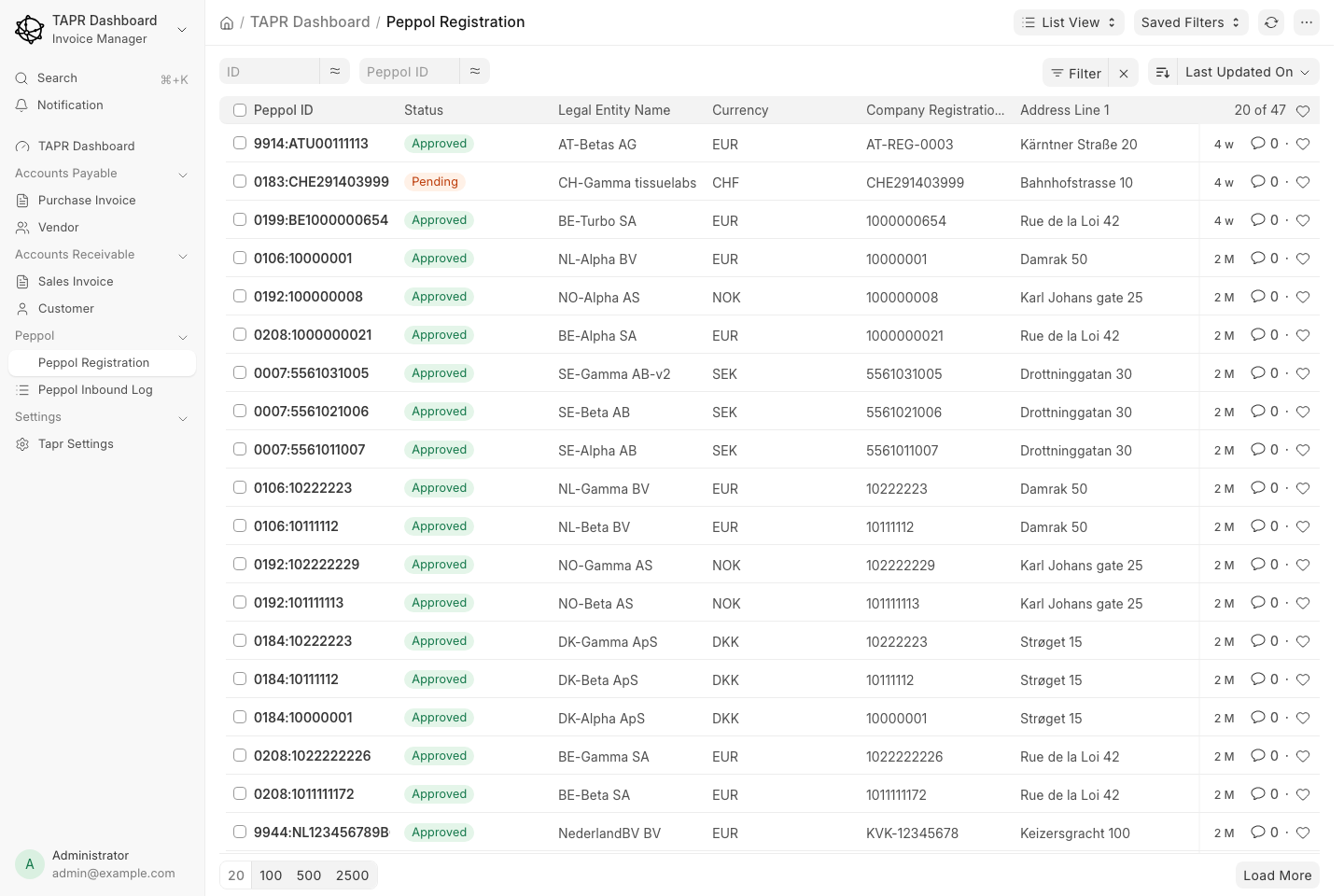
List columns include Peppol ID, Status, Legal Entity Name, currency, registration number, and address.
| Status | Meaning |
|---|---|
| Pending | Submitted or in queue — not yet fully approved for live traffic |
| In Progress | Processing / verification underway |
| Approved | Live for send/receive on PEPPOL for that entity |
| Completed | Terminal success state (where used) |
| Rejected | Not approved — open the document for rejection reason |
Only Approved (or equivalent live) entities should be used for production PEPPOL send/receive. Open a row to see participant details, documents, and Registration Status.
Three-step registration wizard
Section titled “Three-step registration wizard”Desk page Register PEPPOL (/app/register-peppol). Stepper:
- General Information
- Peppol Registration
- Attachments/Records
Use Next / Previous between steps. Do not complete registration unless you intend to submit for real.
Screen 1 — General Information
Section titled “Screen 1 — General Information”Select a Legal Entity. An entity that is already registered can register again to add another PEPPOL ID (each ID must be unique); see Several PEPPOL IDs. Company name, address, and contact are filled from the Legal Entity (and can be corrected if needed).
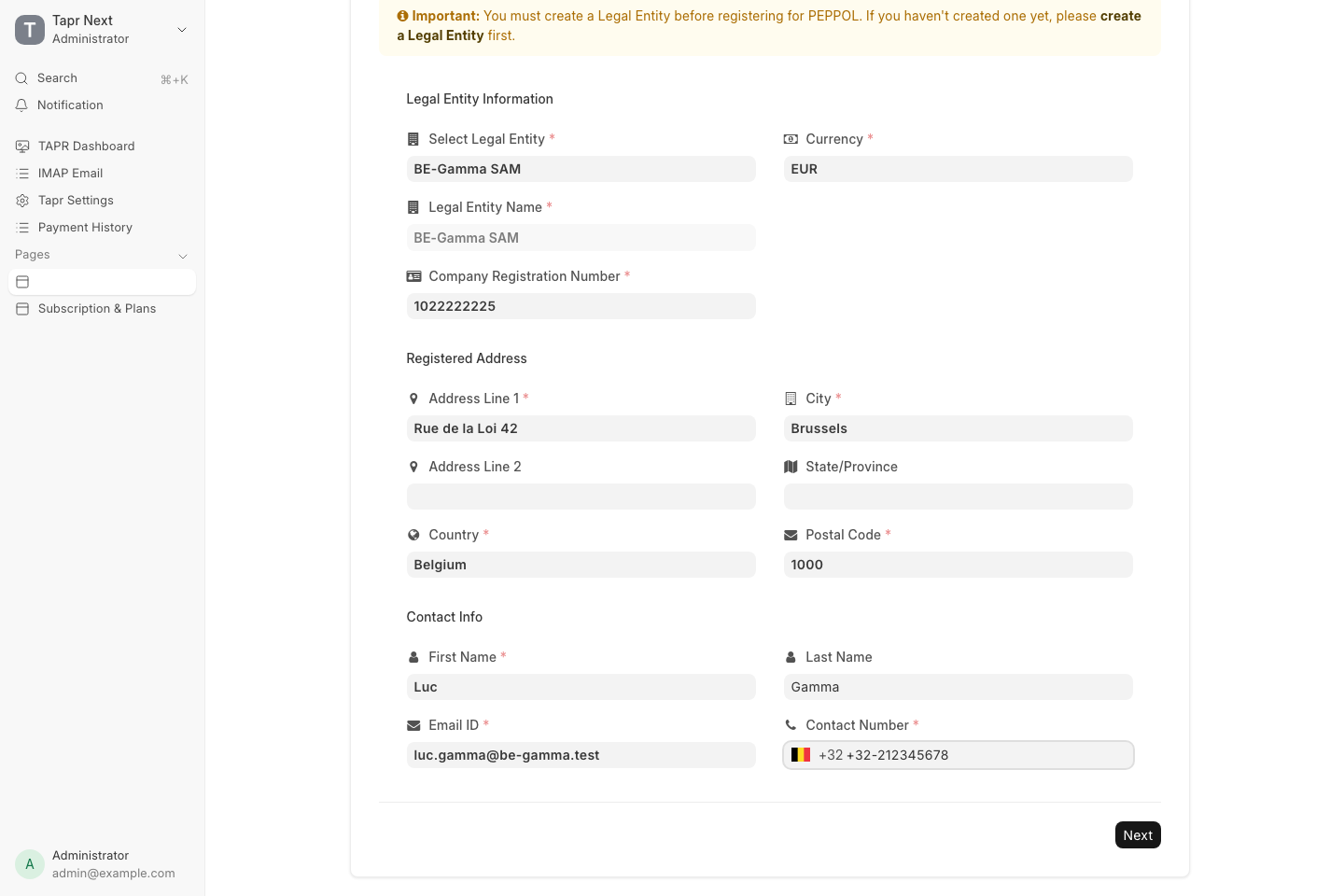
Select Legal Entity, confirm registration number, currency, address, and contact — then Next.
Screen 2 — Peppol Specific
Section titled “Screen 2 — Peppol Specific”| Field | Purpose |
|---|---|
| ISO Schema | Identifier scheme (e.g. 0208 for Belgian enterprises) |
| Company VAT ID | Tax ID that forms the PEPPOL participant ID with the schema |
| For Migration | Optional — ID already active on PEPPOL while moving from another SMP |
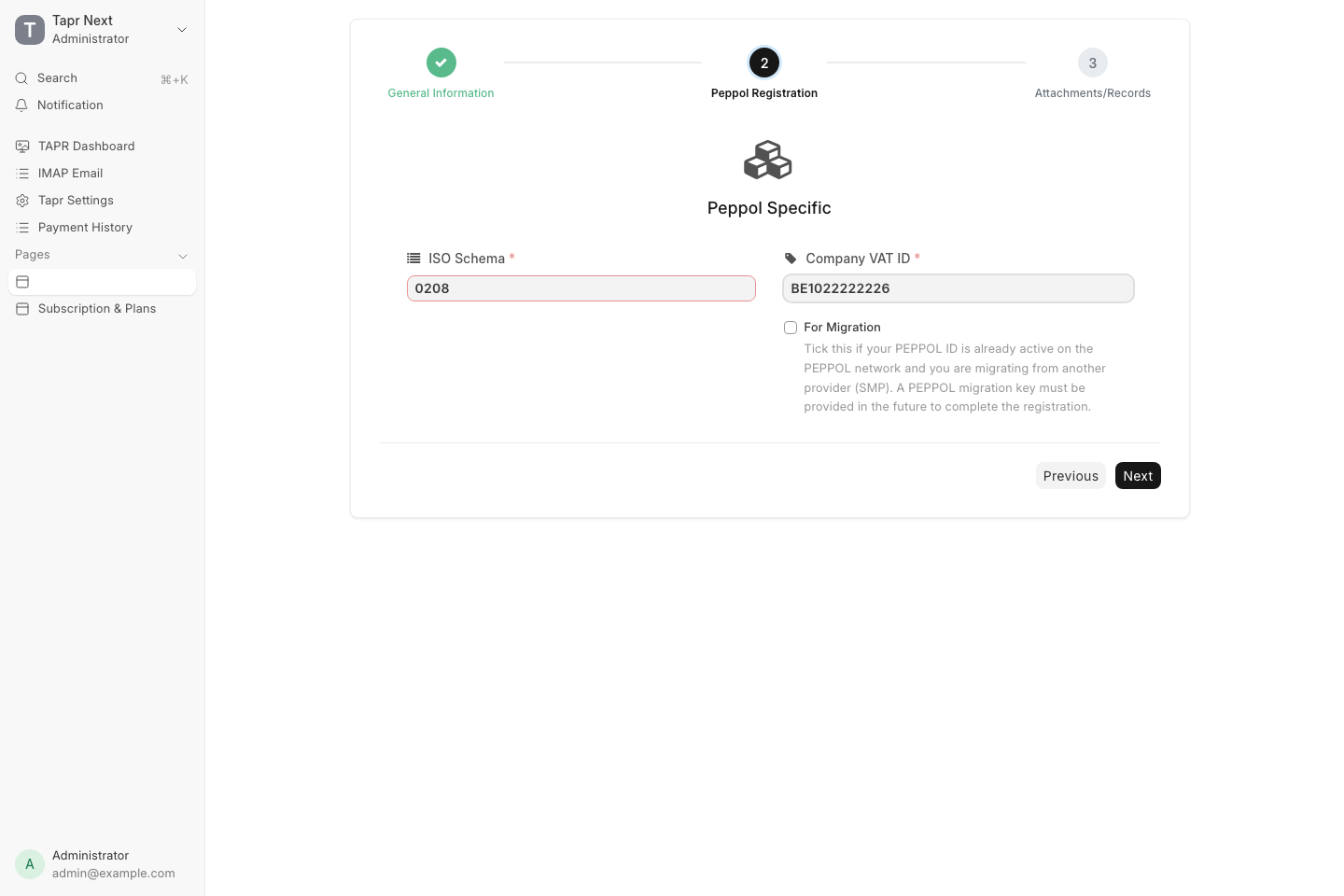
Next validates the participant ID before opening attachments.
Below the fields, the screen lists the PEPPOL ID schemes used in the legal entity’s country — required local ID, ICD code and an example ID — with international schemes behind a toggle and a link to country-specific help. Picking an ISO Schema highlights its row and shows the required ID and a sample under Company VAT ID.
Screen 3 — Attachment and Verification
Section titled “Screen 3 — Attachment and Verification”Upload verification documents, then Complete Registration only when ready to submit.
| Attachment | Purpose |
|---|---|
| Certificate of Incorporation | Company existence |
| Company VAT ID Document | VAT / tax proof |
| Contact Identification Document Name + file | Contact person’s ID |
| Are you a Director…? | If No, a power-of-attorney style upload may be required |
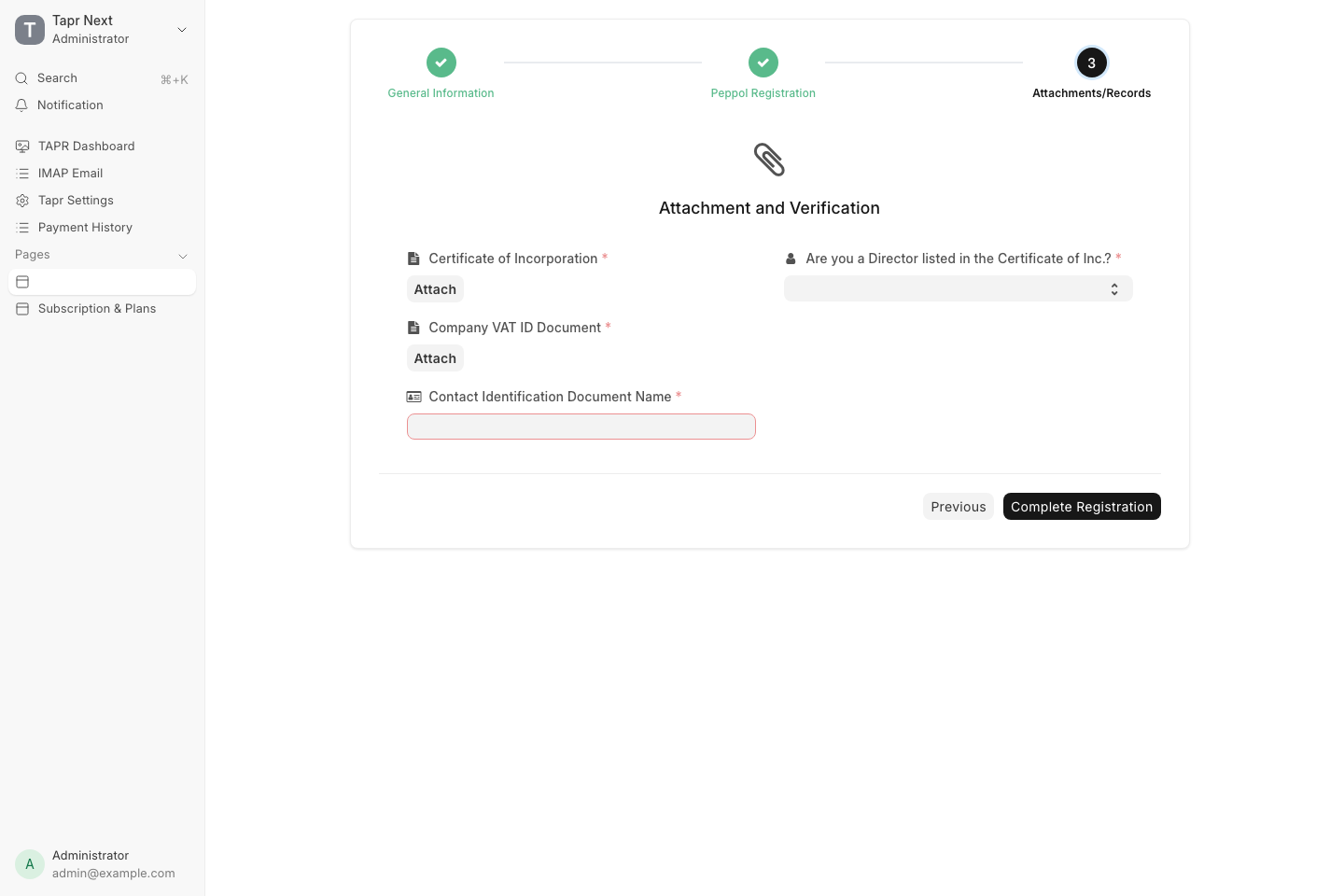
Final step before Complete Registration. After submit, track status on the Peppol Registration list.