Legal Entity (company identity)
A Legal Entity is the company (or branch) that sends and receives invoices. In Invoice Manager you pick it on purchase and sales documents; matching, PEPPOL identity, and ERP routing all depend on it.
Master data lives on the desk Legal Entity form. Processing options (ERP, approval flags, defaults) are configured per entity in Tapr Settings → General → Legal Entity Setup (row Edit) — that is setup work, not daily clerk work.
What you see on the Legal Entity form
Section titled “What you see on the Legal Entity form”Open Legal Entity in the desk (or follow a link from settings). Example fields:
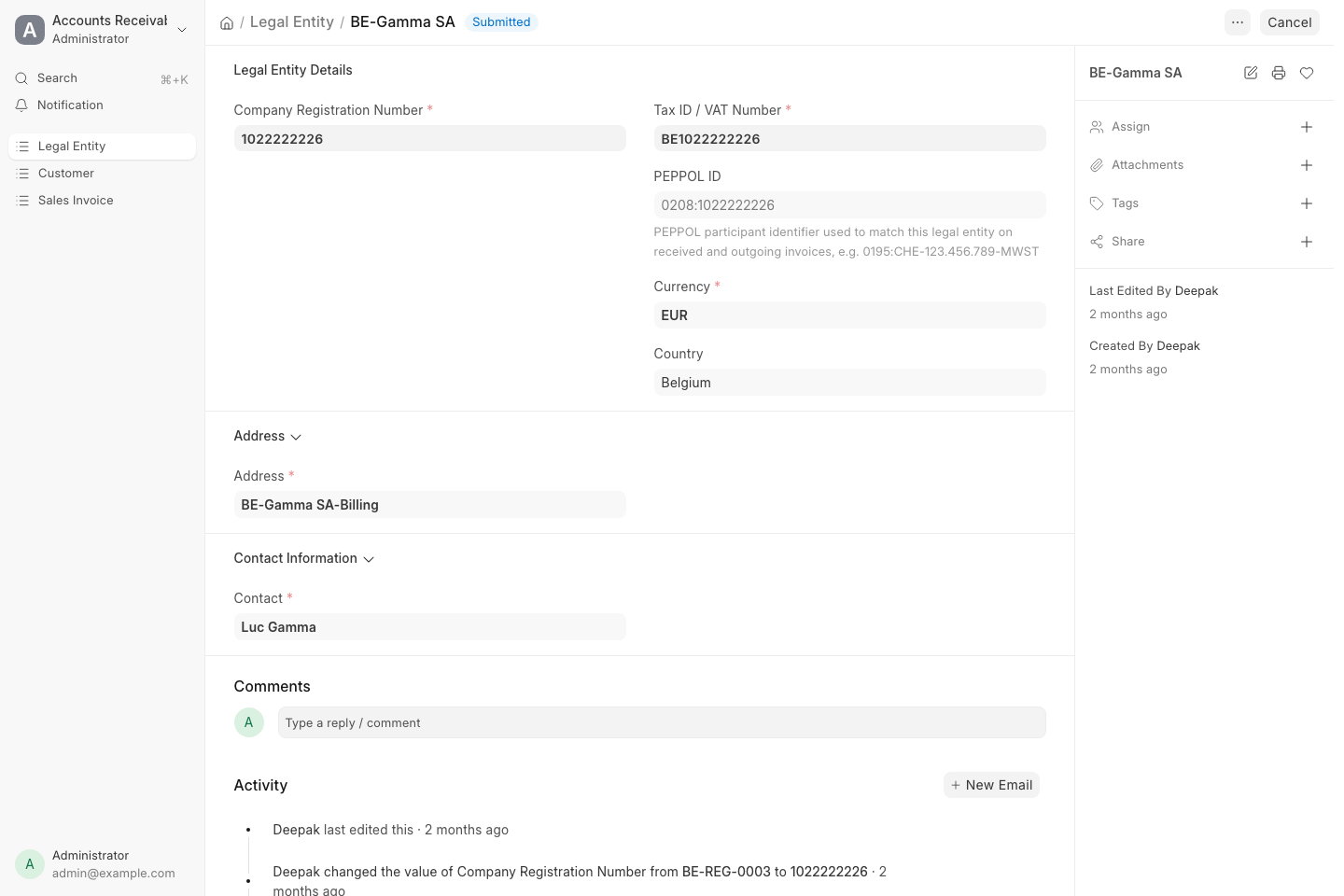
This screenshot still shows the old single PEPPOL ID field. The form now has a PEPPOL IDs table, one row per registration.
| Field | Meaning for operators |
|---|---|
| Legal Entity Name | Display name on lists and invoice headers |
| Company Registration Number | Official company ID |
| Tax ID / VAT Number | Used to match inbound invoices and for tax identity |
| PEPPOL IDs | Table of participant IDs this entity holds — one row per PEPPOL registration, e.g. 0208:1022222226. Each row shows the registration Status; one row is marked Is Default |
| Currency | Default currency for this company |
| Country | Country of registration |
| Address | Linked address used on outbound invoices |
| Contact | Linked contact for the entity |
| IBAN / BIC | Optional bank details on the entity (when maintained) |
The form may show Submitted when the master record is finalized.
Several PEPPOL IDs
Section titled “Several PEPPOL IDs”A legal entity can hold more than one PEPPOL ID — for example a VAT-based ID and a GLN, or IDs under two country schemes. Each PEPPOL registration adds a row to the PEPPOL IDs table. The first active registration becomes the default.
- The default ID is the sender for outgoing sales invoices unless you pick another one on the invoice.
- Invoices received on any of the entity’s IDs are routed to that entity.
- A reply to a received invoice (invoice response) is sent from the ID that received it.
- A registration that is Cancelled or Rejected can no longer be the default; Tapr moves the default to another active ID.
On invoices
Section titled “On invoices”| Where | Role of Legal Entity |
|---|---|
| Purchase Invoice (In Docs) | Buyer company — which entity is being invoiced |
| Sales Invoice (Out Docs) | Seller company — which entity is sending, and which of its PEPPOL IDs (Peppol Sender ID) it sends from |
| Filters / permissions | You may only see entities you are allowed to work with |
If the wrong legal entity is on a document, correct it before submit/send when the workflow still allows edit.