Credit Notes & Returns
Overview
Section titled “Overview”Credit notes (returns) reverse or adjust a previous invoice. In Tapr they are still Purchase or Sales Invoice documents with return semantics (is_return) and, when required by PEPPOL rules, a preceding invoice reference.
Accounts payable (In Docs)
Section titled “Accounts payable (In Docs)”- A vendor credit note may arrive via PEPPOL, email, upload, or another channel.
- Extraction detects credit-note type codes where possible.
- Review lines and amounts (often negative or credit-oriented).
- Check Credit Note Against Invoice. For received credit notes Tapr fills it when the vendor’s original invoice matches (see Automatic link to the original invoice). A credit note cannot post to the ERP until it is set.
- Approve and post to ERP using the same workflow as invoices, with ERP-specific credit handling.
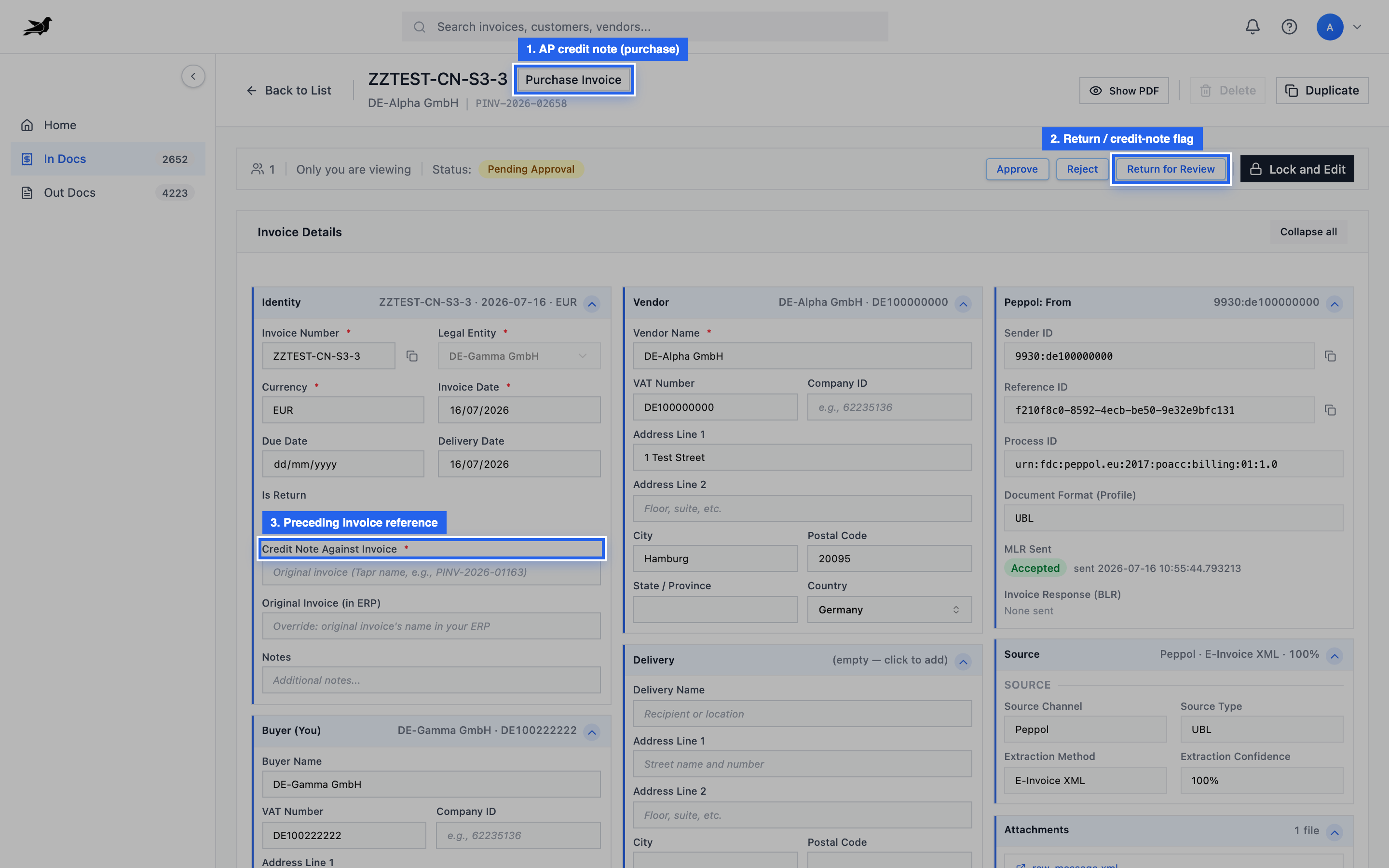
On the purchase invoice, look for Is Return / credit-note indicators and Credit Note Against (or similar preceding-invoice fields).
Automatic link to the original invoice
Section titled “Automatic link to the original invoice”A received credit note carries the vendor’s original invoice number in Billing Reference (from source). Tapr uses it to fill Credit Note Against Invoice — a link to your own Purchase Invoice — but only when the match is unambiguous:
- the billing reference equals the original’s invoice number exactly,
- the original is from the same vendor (matched by VAT number, or by exact vendor name when there is no VAT number),
- the original belongs to the same Legal Entity,
- the original is a normal invoice (not another credit note) and is not cancelled,
- exactly one Purchase Invoice matches.
If the original is not in Tapr yet, the field stays empty. When that invoice arrives later, Tapr fills the link then. Several credit notes may reference one invoice (partial credits); each unlinked credit note that matches the new invoice is linked. The rule that exactly one Purchase Invoice must match applies when the original is already in Tapr as the credit note arrives. If any check fails, the field stays empty for you to fill. Leaving it empty is deliberate: a wrong link would post the credit note against the wrong invoice in your ERP.
Accounts receivable (Out Docs)
Section titled “Accounts receivable (Out Docs)”- Create a credit note via the same create paths as sales invoices (manual, upload, ERP, API).
- Set return / credit-note flags and amounts as required.
- Provide return against / preceding invoice reference when the PEPPOL profile requires it.
- Complete review and approval.
- Send to Customer over PEPPOL like a normal sales invoice.
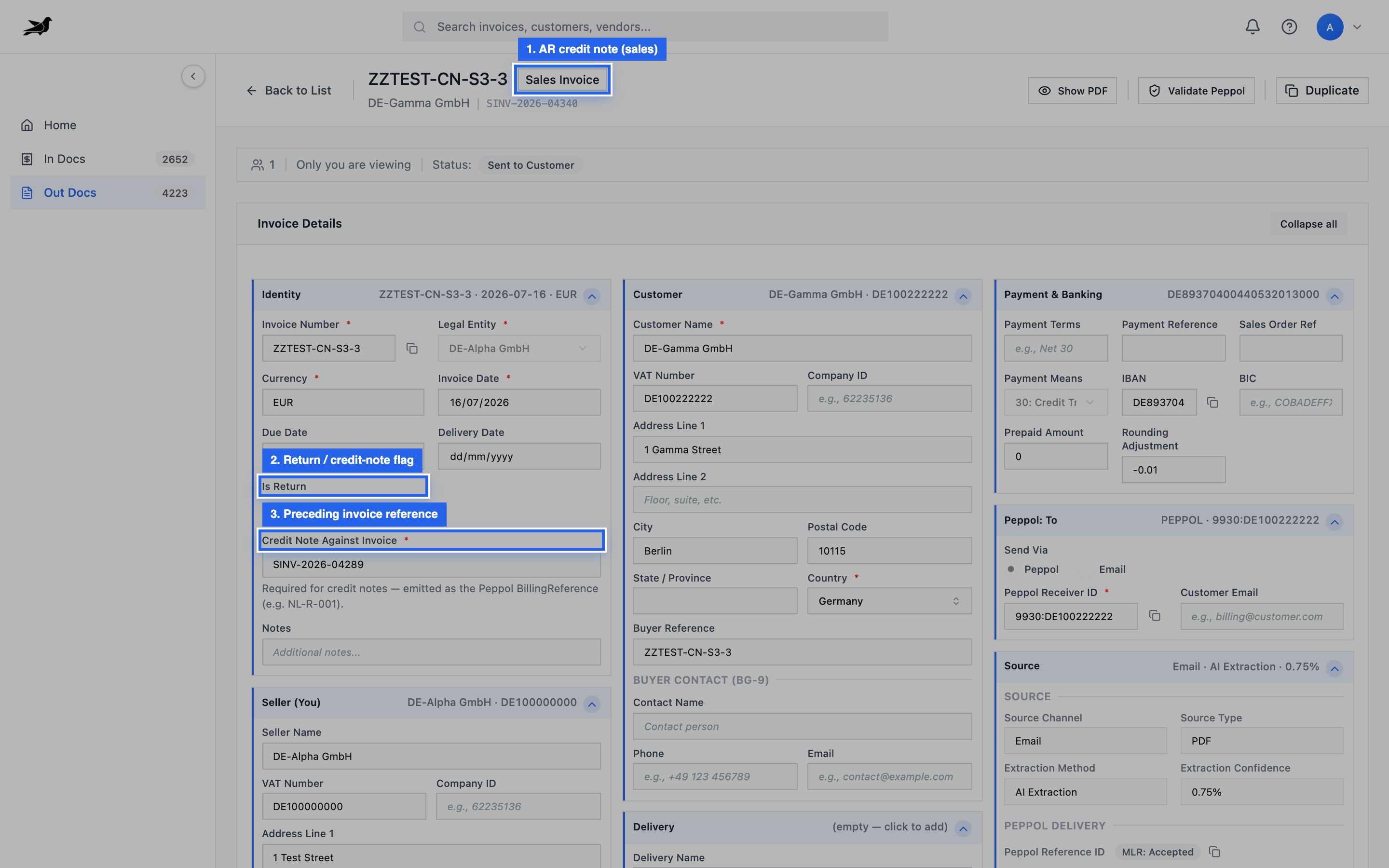
Sales credit notes show return/credit flags and preceding-invoice reference fields on the detail screen.
Create paths (AR)
Section titled “Create paths (AR)”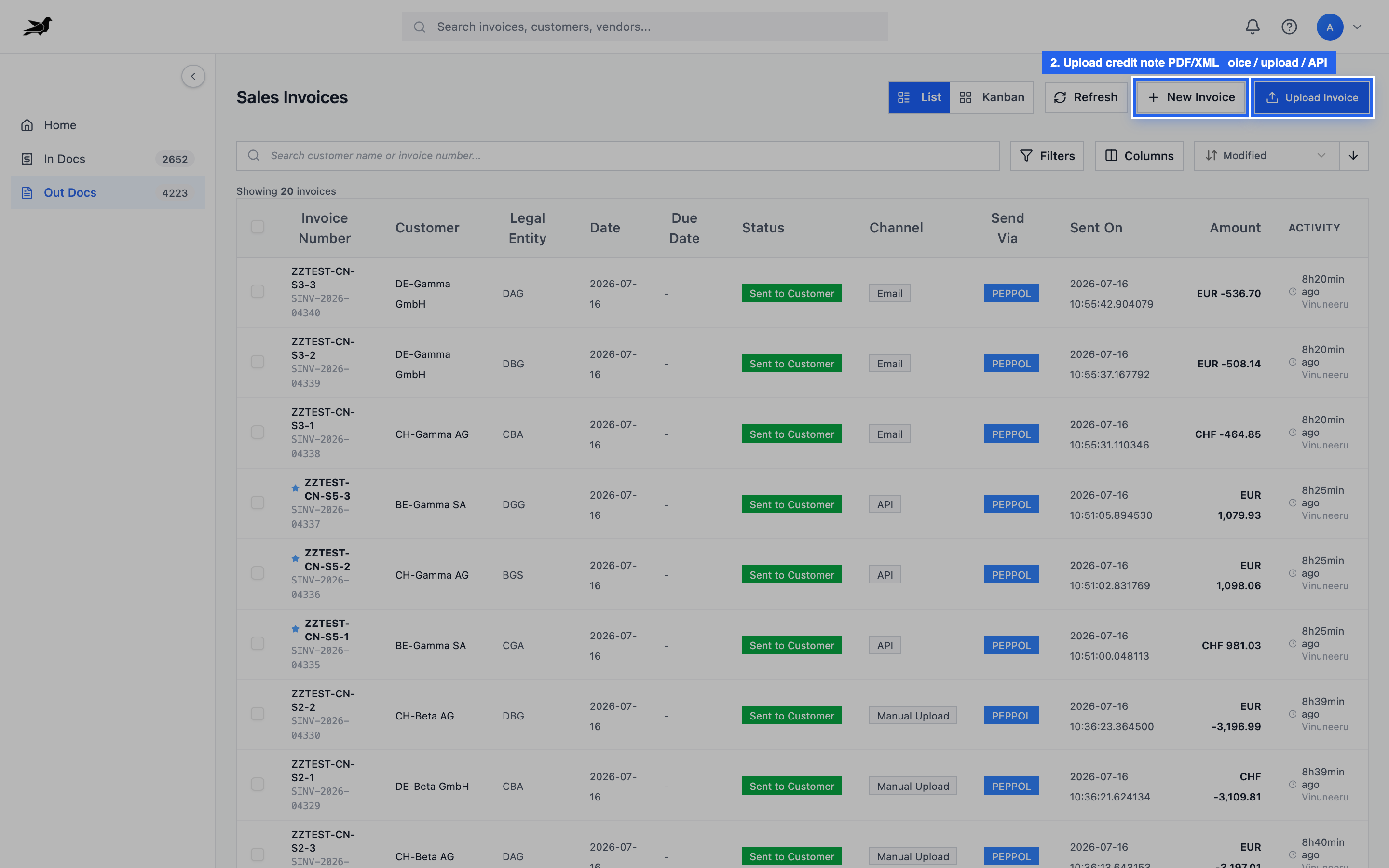
Use New Invoice, Upload Invoice, ERP fetch, or API — same entry points as normal sales invoices.
Preceding invoice reference
Section titled “Preceding invoice reference”Many PEPPOL business rules require a credit note to reference the original invoice number (and sometimes date). If send validation fails with a preceding-document rule:
- Open the credit note in Out Docs.
- Fill the preceding invoice / return-against field with the original invoice identity.
- Re-validate and send again.
- Treat credit notes with the same PEPPOL receiver / legal entity care as invoices.
- ERP-fetched credit notes should already carry ERP identifiers for status sync.
- For API creates, set
is_returnand line signs consistently with how your integration tests expect totals. - Amounts may appear negative in lists — use status and return flags to confirm type.